
Last Updated: Jan 28, 2019
This document outlines the set-up for integrating the InfiPlex Inventory and Order Management System with your Wish.com merchant account.
InfiPlex Wish.com Quick Set-up

- Connecting to Wish.com requires that you have an existing seller's account. You can sign-up for one here if you are not already a Wish seller.
- Connect your Wish.com Seller's Account:
- Log into your InfiPlex OMS site and navigate to the Settings > Base Settings > Wish settings page.
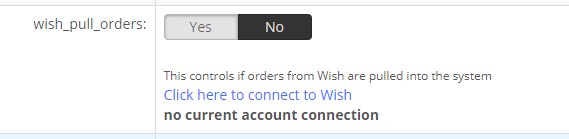
- wish_pull_orders - Set to Yes to pull orders and then click the connect to Wish link to log into your main admin Wish account. This connect your InfiPlex Inventory & Order management system with your OMS site.
- wish_send_tracking_numbers - Set to YES. This controls if tracking numbers are sent back to Wish for Wish.com orders.
- wish_sow_enabled - Set to YES. This controls if inventory levels are sent to Wish on selected SOW products (Sell On Wish).
- Save - Click the Save button to save the settings.