Last Updated: Feb 28, 2024
This document outlines the set-up for integrating the InfiPlex OMS with your Ruelala.com seller account.
InfiPlex Ruelala Quick Set-up

- Connecting to Ruelala.com requires that you have an existing seller's account. You can sign-up for one here by clicking on the Sell on Ruelala a link in the footer of their website.
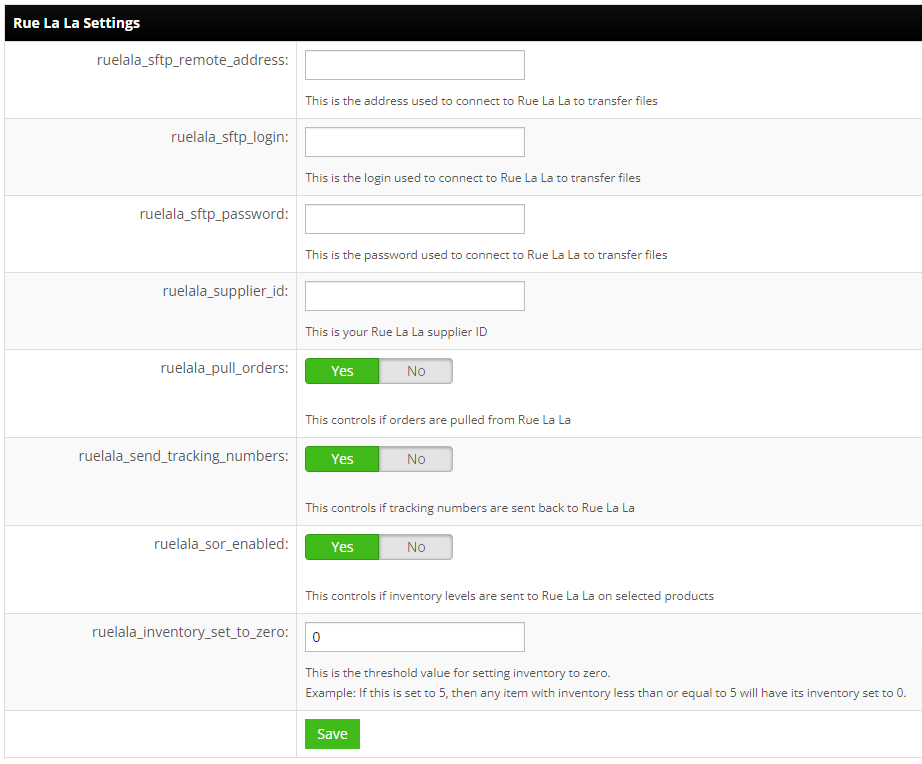
- Connect your Ruelala Seller's Account:
- ruelala_sftp_remote_address - This is the address used to connect to Rue La La to transfer files.
- ruelala_sftp_login - This is the login used to connect to Rue La La to transfer files.
- ruelala_sftp_password - This is the password used to connect to Rue La La to transfer files.
- ruelala_supplier_id - This is your Rue La La supplier ID.
- ruelala_pull_orders - Set to YES. This controls if orders are pulled from Rue La La.
- ruelala_send_tracking_numbers - Set to YES. This controls if tracking numbers are sent back to Rue La La.
- ruelala_sor_enabled - Set to YES. This controls if inventory levels are sent to Rue La La on selected products.
- ruelala_inventory_set_to_zero - This is the threshold value for setting inventory to zero. Example: If this is set to 5, then any item with inventory less than or equal to 5 will have its inventory set to 0.
- Save - Click the Save button to save the settings.